DataPhotos.AI vs SparkPix
Side-by-side comparison to help you choose the right tool.

DataPhotos.AI
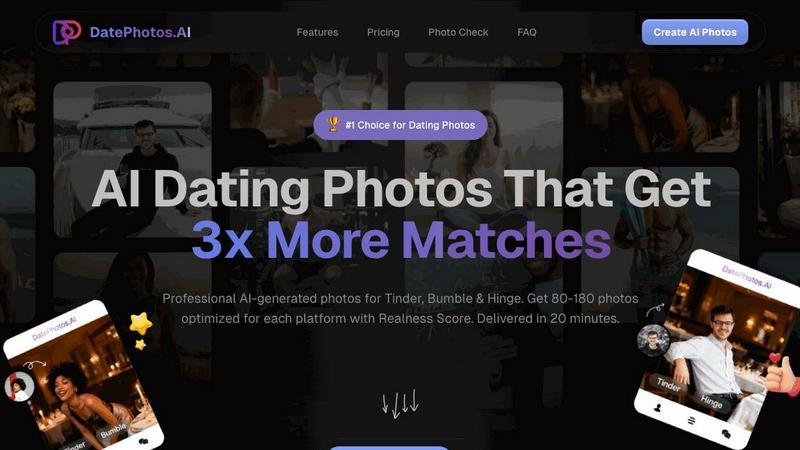
Turn your selfies into 80-180 professional AI dating photos in 20 minutes to get more matches.
Last updated: February 28, 2026

SparkPix
Edit any photo online for free by simply typing what you want, like removing a background or restoring an old picture.
Last updated: March 11, 2026
Visual Comparison
DataPhotos.AI
SparkPix

Feature Comparison
DataPhotos.AI
Massive Photo Generation & Scene Variety
Upload just 5 to 20 of your selfies, and DataPhotos.AI will generate an impressive 80 to 180 brand-new photos for you. This isn't just a filter; the AI creates entirely new images of you placed into a diverse range of over 40 lifestyle scenes. You'll get photos at the beach, in coffee shops, at the gym, on urban streets, in professional settings, and on outdoor adventures. Each scene even includes 3 different poses, giving you incredible variety to showcase different facets of your personality and interests, which is key to getting noticed.
Realness Scoring for Quality Control
One of the biggest concerns with AI photos is that they can look unnatural or "off." DataPhotos.AI tackles this head-on by giving every single generated photo a "Realness Score" from 0 to 100. This score helps you instantly identify the best, most natural-looking photos. You can sort your entire gallery by this score and quickly download only the ones that look perfectly authentic. On average, photos score above 85, ensuring they blend seamlessly with your real pictures.
Lighting & Angle Optimization
The AI doesn't just place you in a scene; it intelligently works to make you look your best. It automatically adjusts lighting conditions and camera angles to create flattering, professional-quality results. This means you get photos with perfect golden-hour lighting or ideal gym lighting without any technical knowledge required. It's like having a professional photographer and editor working together to highlight your best features in every shot.
Free Regeneration & Fast Delivery
If you're not completely happy with how a particular photo turned out, you don't have to settle. DataPhotos.AI allows free regeneration of photos you don't like. You get 10 free regeneration chances per project at no extra cost. Furthermore, the entire process is remarkably fast. While a traditional photoshoot takes 1-2 weeks and other AI tools take 24-48 hours, DataPhotos.AI delivers your full portfolio of 80-180 photos in just 20 to 30 minutes.
SparkPix
AI Photo Editor with Text Commands
This is the heart of SparkPix. Instead of hunting for tools and sliders, you simply type what you want to happen. For example, you can type "remove the background and put me on a beach" or "make this photo look like a vintage oil painting." The AI interprets your text prompt and applies the precise edits automatically, delivering results in under 30 seconds. It's intuitive, fast, and opens up editing possibilities you might never have tried with traditional software.
Background Remover
Get a clean, transparent background with just one click. This tool is perfect for creating professional portraits, standout product photos for your online store, or fun social media content. It handles complex scenes with detailed edges, like hair or fur, remarkably well. You can also go beyond simple removal by using the text editor to command a background change, instantly placing your subject in a primeval forest or a sleek office.
Photo Restoration & Enhancement
Breathe new life into your old memories. SparkPix can repair damaged photos by fixing scratches, tears, and severe fading. It also includes a powerful enhancer that can sharpen blurry details, boost colors, reduce digital noise, and upscale images to HD quality—all in one simple step. It's like having a digital restoration expert and a professional retoucher working for you instantly.
AI Image Generator & Style Transfer
Unleash your creativity by generating brand new images from text descriptions at high 1K, 2K, and 4K resolutions. Plus, transform any existing photo into various artistic styles. Choose from over 15 effects, including anime, watercolor, pencil sketch, and oil painting, to give your pictures a unique, artistic flair with a single click.
Use Cases
DataPhotos.AI
Creating a Standout Dating Profile from Scratch
Perfect for someone new to dating apps or restarting their profile, DataPhotos.AI provides everything you need. If you lack good, recent photos or your current pictures are all selfies, you can quickly generate a full, diverse portfolio. This gives you a complete set of attractive, conversation-starting photos that show you in various interesting settings, instantly making your profile more engaging and trustworthy.
Enhancing an Existing Profile with Better Photos
Maybe you already have a dating profile, but it's not getting the matches you want. Often, the issue is photo quality or lack of variety. You can use DataPhotos.AI to generate specific types of photos you're missing—like a great gym shot, a smart professional photo, or a fun travel picture—to fill the gaps in your existing profile. This targeted upgrade can significantly increase your profile's appeal.
Saving Time and Money vs. a Photoshoot
Hiring a professional photographer for dating photos can cost hundreds of dollars and require scheduling, traveling, and waiting weeks for edits. DataPhotos.AI delivers a larger quantity of photos in more varied scenes for a much lower cost and in under 30 minutes. It's the ideal solution for anyone who wants professional-looking results but has a limited budget or needs photos immediately.
Building Confidence with Flattering Photos
Many people feel they aren't photogenic or hate taking pictures. DataPhotos.AI helps by generating photos where you look your best. The AI optimizes lighting and angles to create consistently flattering images. Seeing yourself in these high-quality, diverse photos can be a huge confidence booster, making you feel more positive and excited about putting yourself out there on dating apps.
SparkPix
Restoring Family Photo Archives
Anyone with old, damaged family photos can use SparkPix to preserve their heritage. Simply upload a scanned photo of a faded or scratched portrait and use prompts like "restore this damaged old photo" or "colorize this black and white image." The AI will repair damage and add realistic color, bringing precious memories back to life for future generations without needing professional services.
Creating E-commerce Product Photos
Small business owners and online sellers can create stunning product imagery without a studio. Use the background remover for clean, white-background shots required by Amazon or Shopify. Then, use the AI editor to generate professional mockups by describing scenes like "a person holding this perfume bottle in a luxury bedroom setting," creating high-quality marketing assets in minutes.
Enhancing Social Media Content
Social media managers, influencers, and everyday users can make their posts pop. Quickly remove unwanted objects or people from a vacation shot, enhance a slightly blurry group photo, or apply a trendy art style to a portrait for a unique profile picture. SparkPix helps you create polished, engaging content that stands out in any feed with minimal effort.
Preparing Official Documents
Need a passport, visa, or professional LinkedIn headshot fast? SparkPix acts as an online passport photo maker. Upload a selfie and use a prompt like "generate a professional headshot with formal attire and a blue background." The AI will create a compliant, high-quality photo suitable for official documents and professional profiles, saving you a trip to a photo booth.
Overview
About DataPhotos.AI
DataPhotos.AI is your personal AI photographer designed specifically for dating apps like Tinder, Bumble, and Hinge. It solves a common modern problem: the need for a great variety of high-quality, authentic-looking photos to make your profile stand out, without the high cost and time commitment of a traditional photoshoot. The process is incredibly simple. You just upload 5 to 20 of your selfies. The advanced AI then learns your unique facial features, style, and look. In about 20 to 30 minutes, it generates a massive portfolio of 80 to 180 professional-quality photos for you. These aren't just simple edits; they are completely new images of you placed into over 40 different lifestyle scenes, from working out at the gym and enjoying a coffee shop to relaxing on a beach or going on a travel adventure. The main value proposition is clear: get a huge variety of optimized, authentic-looking dating photos that are proven to help you get up to 3x more matches, all for a fraction of the price and time of hiring a photographer or using slower AI tools. It's the fastest, smartest, and most affordable way to upgrade your dating profile and boost your confidence.
About SparkPix
SparkPix is your friendly, all-in-one AI photo editor that makes professional-level editing as simple as typing a sentence. Forget about complex software like Photoshop that requires years of skill to master. With SparkPix, you just upload your photo, describe the change you want in plain English, and our powerful AI does the rest in under 30 seconds. It's designed for absolutely everyone—from social media enthusiasts and small business owners to genealogy hobbyists and creative professionals who want to save time. Whether you're looking to remove an unwanted photobomber, restore a precious family heirloom, create a stunning product mockup, or just have fun turning a photo into an anime masterpiece, SparkPix handles it with ease. The best part? You can start for free with 5 credits to test the magic, with no credit card required. Accessible directly from your web browser on any device, SparkPix puts the future of photo editing at your fingertips, making creativity limitless and completely approachable.
Frequently Asked Questions
DataPhotos.AI FAQ
How does DataPhotos.AI work?
The process is simple and has three easy steps. First, you upload 5 to 20 clear selfies of yourself. Second, our advanced AI analyzes your photos to learn your unique appearance, style, and features. Third, in about 20 to 30 minutes, the AI generates a new gallery of 80 to 180 professional-quality photos of you in over 40 different scenes and poses. You then review them, using the Realness Score to pick the best ones, and download your favorites.
Are the AI-generated photos realistic?
Yes, they are designed to be highly realistic. Each photo receives a "Realness Score" from 0 to 100 based on AI analysis of how natural it looks. The average score is above 85, and most users find a large number of photos that are indistinguishable from real photographs. The scoring system allows you to easily filter and select only the most authentic-looking images for your profile.
What kind of photos should I upload for the best results?
For optimal results, upload 5-20 clear, well-lit selfies. Use photos with a neutral background where your face is clearly visible. Include a variety of angles (front, slight side) and expressions (smiling, neutral). Avoid hats, sunglasses, or extreme filters that obscure your face. Following these simple guidelines helps the AI learn your likeness accurately for the best output.
How do you protect my privacy and data?
DataPhotos.AI takes your privacy seriously. The uploaded photos are used solely to train a personalized AI model for your project and generate your images. This model is typically deleted after a short period. For full details on how your data is handled, stored, and protected, please refer to the comprehensive Privacy Policy available on the DataPhotos.AI website.
SparkPix FAQ
Is SparkPix really free to start?
Yes, absolutely! You can sign up and receive 5 free credits to try out the platform with no credit card required. This lets you test several edits and see how the AI works. After that, affordable plans are available if you need more credits for larger projects.
What kind of edits can I do by typing?
You can do almost anything you can imagine! Common and powerful edits include removing or changing backgrounds, restoring old photos, colorizing black and white images, removing unwanted objects or people, enhancing image quality, and applying artistic filters. The more specific your description, the better the AI can execute your vision.
Do I need to download any software?
No, you do not. SparkPix is entirely web-based. This means you can access it directly from your internet browser on any device, whether you're using a desktop computer, an iPhone, or an Android phone. There's no installation required, and you can start editing immediately.
How accurate is the background remover?
The AI-powered background remover is highly accurate, even with complex subjects like frizzy hair, pet fur, or intricate objects. It uses advanced machine learning to distinguish between the subject and the background, providing a clean cut-out. For the best results, use photos with good contrast between the subject and its original background.
Alternatives
DataPhotos.AI Alternatives
DataPhotos.AI is a service that uses artificial intelligence to create professional-looking dating profile photos from your selfies. It falls into the category of AI-powered tools designed to help people improve their online dating presence quickly and affordably. People often look for alternatives for various reasons. Some might be on a tighter budget and need a different price point. Others might want features like more photo styles, different editing tools, or support for social media platforms beyond just dating apps. It's also common to simply want to compare options before making a decision. When choosing an alternative, consider what matters most to you. Look at the quality and realism of the AI-generated photos, the number of photos you receive, the cost, and how long the process takes. Also, check if the service offers any special features, like tips for choosing the best photos or guarantees about privacy and security.
SparkPix Alternatives
SparkPix is an AI-powered online photo editor that lets you transform images simply by typing your requests. It falls into the category of web-based, beginner-friendly image editing tools, designed for anyone who wants professional-looking edits without needing complex software like Photoshop. People often search for alternatives for various reasons. Some might need a different pricing structure or more free credits, while others may be looking for specific features not offered, like advanced layer editing or integration with other platforms. The need for a desktop app, different artistic filters, or higher resolution exports can also prompt the search for other options. When evaluating other tools, consider what matters most for your projects. Key factors include the cost and credit system, the range of AI features (like background removal or style transfer), the output quality and resolution, and whether the platform works on your preferred device. Prioritizing these aspects will help you find the best fit for your creative needs.