Clipt vs Seeddance
Side-by-side comparison to help you choose the right tool.

Clipt automates video editing tasks so your team can focus on storytelling instead of tedious timelines.
Last updated: February 26, 2026

Seeddance
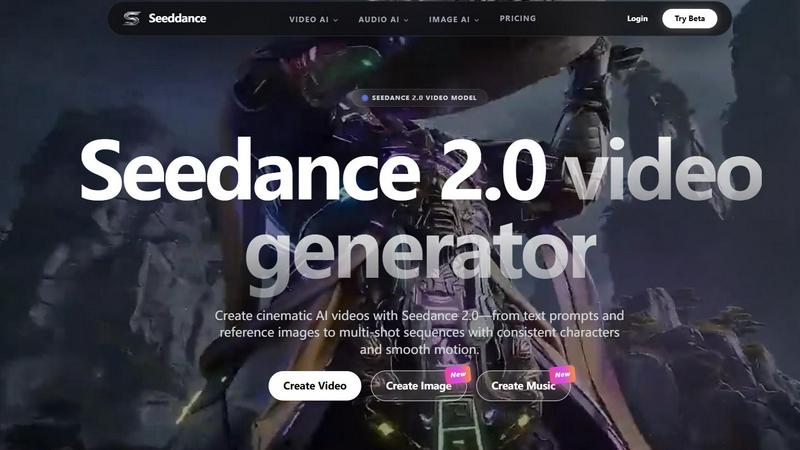
Seeddance is your all-in-one AI platform to easily create stunning videos, images, and music for your next viral project.
Last updated: April 13, 2026
Visual Comparison
Clipt

Seeddance
Feature Comparison
Clipt
Video Ingestion and Captioning
Clipt supports video ingestion from multiple sources, allowing users to easily create accurate captions tailored to their videos. The captions can be customized with various fonts, colors, and animations, ensuring that every video maintains a unique and professional look.
Slideshow Maker
The Slideshow Maker is a powerful feature that turns simple ideas into viral carousels. It uses AI to write scripts, generate images, and add voice narration, allowing users to create stunning multi-slide presentations quickly and effortlessly.
Talking Heads
With the Talking Heads feature, users can create professional spokesperson videos without the need for cameras or studios. Simply type in a script, and Clipt's AI will generate a scene plan with various delivery styles, providing a polished look for any content.
AI-Generated Characters
Clipt allows users to create unique, realistic AI characters that can be reused across all video content. This ensures brand consistency, as characters maintain the same appearance and personality, making them perfect for brand ambassadors and content series.
Seeddance
Seedance 2.0 Video Generator
This is the core powerhouse of the platform. The Seedance 2.0 model transforms your text prompts or reference images into high-definition, cinematic videos. It excels at maintaining consistency, which means you can create multi-shot sequences where characters and styles remain the same throughout, resulting in smooth, coherent motion perfect for short films, ads, or social media stories. It's like having a film director and animation team at your fingertips.
AI-Powered Image Generation
Before you make a video, you often need the perfect visual starting point. Seeddance's AI image generator allows you to create reference images, keyframes, and control artistic styles to guide your video scenes. This feature works hand-in-hand with Seedance 2.0, giving you complete creative control from the initial concept image all the way to the final moving clip, all within the same platform.
Text-to-Music & Audio Tools
Every great video needs a compelling soundtrack. Seeddance includes an AI audio generator that can create original music tracks from simple text descriptions. You can also experiment with voice cloning and sound effects. This means you can score your Seedance 2.0 videos with custom audio without ever leaving the app, making your projects truly immersive and professionally polished.
One-Click Viral AI Effects
Want to create fun, engaging content quickly? Seeddance offers a library of over 60 AI video effects that you can apply to your photos in just one click. Make portraits dance, hug, kiss, or perform other entertaining actions. These effects are designed for maximum shareability, helping you create trendy, attention-grabbing content for platforms like TikTok and Instagram Reels in seconds.
Use Cases
Clipt
Content Creators
Whether you are a vlogger or a social media influencer, Clipt provides all the tools needed to create engaging video content that resonates with your audience. Use the captioning and character features to enhance your storytelling.
Marketing Teams
Marketing professionals can utilize Clipt to create promotional videos and advertisements that are visually appealing and informative. The AI-generated characters can serve as consistent brand representatives across campaigns.
Educators
Teachers and educators can use Clipt to produce educational videos, complete with captions and voice narration, making learning more accessible and engaging for students. The Slideshow Maker is particularly useful for creating lesson materials.
E-commerce Businesses
E-commerce brands can leverage Clipt for creating unboxing videos and product testimonials with AI-generated characters, fostering a personal connection with potential customers. This can lead to increased engagement and sales.
Seeddance
Social Media Content Creation
Creators can rapidly produce eye-catching, original content for platforms like TikTok, Instagram, and YouTube. Generate unique video clips from trending ideas, add viral AI effects to photos, and create custom background music, all to build a strong, visually cohesive brand and engage your audience with fresh posts daily.
Marketing and Advertising
Marketing teams and small businesses can create professional ad videos, product demos, and branded content without a large production budget. Use text prompts to visualize ad concepts, generate consistent character sequences for storytelling, and produce high-quality audio to create compelling commercials and social media ads in-house.
Creative Storytelling and Film
Aspiring filmmakers and writers can prototype scenes, visualize characters, and produce short cinematic sequences. The multi-shot consistency of Seedance 2.0 allows for the creation of longer narrative pieces with coherent characters, turning written scripts into visual storyboards or fully realized animated clips.
Personalized Entertainment and Gifts
Anyone can have fun turning personal photos into magical moments. Create a video where a family photo comes to life, generate a song based on a special memory, or apply a dancing effect to a friend's picture for a unique and personalized birthday gift or shareable greeting.
Overview
About Clipt
Clipt is an innovative video creation tool designed to streamline the process of generating high-quality video content. It allows users to ingest videos from over 50 platforms, including popular sites like YouTube, TikTok, and Instagram, or simply upload raw video files. The main value proposition of Clipt lies in its ability to create word-accurate captions with customizable fonts, colors, and animation presets, making it ideal for creators looking to enhance their videos with professional-quality features. The platform also includes advanced AI capabilities that assist in generating scripts, images, and even voice narration, transforming ideas into engaging visual content seamlessly. Whether you're a busy mom, a tech reviewer, or an indie creator, Clipt empowers you to produce captivating videos without the need for extensive video editing skills or costly equipment.
About Seeddance
Seeddance is your all-in-one creative playground powered by artificial intelligence. It's designed for anyone who wants to create stunning visual and audio content without needing years of experience or expensive software. Whether you're a social media creator, a marketer, a storyteller, or just someone with a big imagination, Seeddance makes it simple to bring your ideas to life. At its heart is the powerful Seedance 2.0 model, which specializes in generating smooth, cinematic-quality videos from just a text description or a single image. But that's just the beginning! The platform also lets you generate images, create original music from text, and apply fun, viral-ready effects to your photos with a single click. Seeddance replaces a whole suite of complicated creative tools with one intelligent, easy-to-use platform, empowering you to produce professional-looking content that stands out and tells your unique story.
Frequently Asked Questions
Clipt FAQ
How many characters can I create?
You can create multiple characters in Clipt, allowing for versatile video content. Each character can be reused across all features, ensuring consistency and brand recognition.
Can I use characters across different video types?
Yes, the characters you create can be used across various video types within Clipt. This flexibility allows you to maintain a cohesive brand identity across all your content.
Are the characters unique to me?
The characters generated by Clipt are unique in the sense that they are created based on your specific descriptions and preferences. While others can create similar characters, your chosen variations will be distinctive.
Can I edit a character after creating it?
Yes, Clipt allows users to edit their characters even after creation. This feature provides flexibility to adjust the character’s appearance and personality as your branding needs evolve over time.
Seeddance FAQ
What is Seedance 2.0?
Seedance 2.0 is the latest AI video model at the core of the Seeddance platform. It's a next-generation tool that creates high-quality, cinematic videos from your text prompts or from reference images you provide. It's specially designed for strong, smooth motion and can maintain consistency across multiple shots, which is perfect for telling a short story or keeping a character looking the same throughout a video.
Is Seedance free to try?
Yes, you can absolutely start for free! Seeddance offers a free tier that lets you access core features and experiment with the platform. If you need more advanced capabilities like higher video resolution, longer generation times, or commercial usage rights, you can upgrade to one of their paid subscription plans.
Can I use the videos I create for commercial purposes?
Commercial use depends on your specific plan. Paid subscribers generally receive broader licenses that allow for commercial use of the content they generate. If you are using the free tier, the content is typically limited to personal and non-commercial projects. Always check the latest terms of service for detailed information on usage rights.
How long does it take to generate a video?
Generation time can vary, but you can typically expect to get a video within a few minutes. Image generation is faster, often taking just seconds, and creating a custom audio track usually takes under a minute. The exact time can depend on the complexity of your request and the current demand on the platform. Paid plans often include priority access for faster processing.
Alternatives
Clipt Alternatives
Clipt is an innovative tool designed to streamline video editing processes, making it easier for users to focus on storytelling rather than the technicalities of editing. It belongs to the marketing category and is particularly useful for teams looking to enhance their video content efficiently. Users often seek alternatives to Clipt for a variety of reasons, including pricing concerns, specific feature sets, or compatibility with different platforms. Finding the right alternative involves assessing your unique needs, such as desired functionalities, integration capabilities, and budget constraints. When searching for an alternative, consider the features that are most important for your workflow, such as transcription accuracy, customization options for captions, and the ability to handle various video sources. Additionally, evaluate the user experience, customer support, and overall value for money. By focusing on these aspects, you can identify a solution that aligns with your goals and enhances your video editing and production processes.
Seeddance Alternatives
Seeddance is a powerful all-in-one AI creative platform, primarily known as an AI video and image generator. It allows users to create cinematic videos from simple text prompts or existing images, making it a popular choice in the AI assistants and content creation categories. People often look for alternatives to Seeddance for various reasons. You might be exploring options due to budget, needing a different set of features, or requiring compatibility with a specific device or workflow. It's a normal part of finding the perfect tool for your creative projects. When choosing an alternative, focus on what matters most for your goals. Consider the quality and style of video or image output, ease of use, pricing plans, and whether the tool offers the specific creative functions you need, like music generation or unique viral effects.