
audiovideogenerator vs Melograph
Side-by-side comparison to help you choose the right tool.

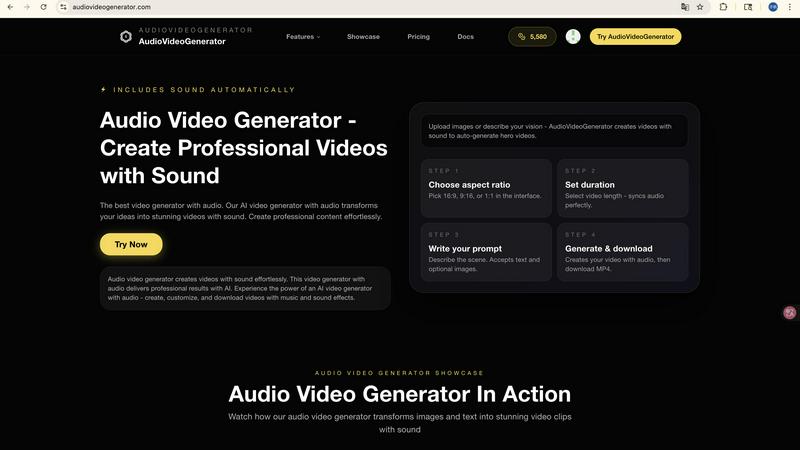
audiovideogenerator
Turn your ideas into professional videos with sound using our simple AI generator.

Melograph effortlessly turns your music tracks into stunning videos with customizable templates in just minutes.
Last updated: February 28, 2026
Visual Comparison
audiovideogenerator
Melograph

Feature Comparison
audiovideogenerator
Text-to-Video with Audio
Simply describe your video idea in words, and watch as AudioVideoGenerator brings it to life. Our AI interprets your text prompt to generate relevant visuals and then automatically adds a synchronized soundtrack. This includes fitting background music and sound effects that match the mood and action of your video, creating a cohesive and professional piece from a single sentence.
Image-to-Video with Audio
Breathe life into your static photos! Upload any image, and AudioVideoGenerator will transform it into a dynamic, moving video sequence. The AI intelligently animates elements within the image and crafts a complementary audio landscape. This means your still product shot or landscape photo can become an engaging video clip with motion and a full, immersive soundscape in just a few clicks.
Multiple AI Model Options
Choose the best engine for your project from a suite of top AI video models. Whether you need the fast turnaround of Veo 3.1 Fast for social content, the longer-format capability of Sora 2, or the specific strengths of Wan 2.5 for audio-driven videos, you have the flexibility. This allows you to match the model to your needs for duration, style, and quality, ensuring you get the perfect result every time.
Automatic Audio Synchronization
This is the heart of the platform. You never have to worry about manually timing music or sound effects. Our AI deeply analyzes the generated video content—the pacing, scene changes, and visual cues—to automatically add and synchronize background music, ambient sounds, and sound effects. This creates a polished, professional-grade audio-visual experience that feels intentional and expertly edited.
Melograph
Easy Template Selection
Melograph offers a curated selection of beautifully designed templates tailored for various music genres and styles. Users can quickly choose a template that matches their sound, ensuring their visuals resonate with their music's vibe.
Quick Audio Upload and Customization
With Melograph, users can easily upload their audio tracks and customize their video by adding their artist name, song title, and, in select templates, even a logo or album cover. This simplicity makes it accessible for anyone, regardless of their editing experience.
High-Quality Exports
The platform allows users to export their videos in 1080p MP4 format, ensuring that the final product is of the highest quality. The videos are generated in formats optimized for various social media platforms, making it easy to share and promote music content.
Real-Time Audio Reactivity
One of the standout features of Melograph is its ability to create audio-reactive visuals that respond dynamically to the audio track. Users can instantly see how their waveform reacts to the music, creating a vibrant and engaging visual experience that captivates viewers.
Use Cases
audiovideogenerator
Social Media Content Creation
Easily produce a constant stream of engaging videos for platforms like Instagram, TikTok, and YouTube. Generate eye-catching Reels, Stories, and shorts with trending audio or custom soundtracks that are perfectly synced to the visuals. Maintain a consistent and professional online presence without spending hours editing, ideal for influencers and small businesses.
Marketing and Promotional Videos
Create compelling advertisements, product showcases, and brand announcement videos effortlessly. Transform a text description of your new product into a full video ad complete with energetic music and sound effects that highlight key features. This allows marketers to produce high-conversion content quickly and cost-effectively, perfect for campaigns and social media ads.
Educational Tutorials and Courses
Teachers, trainers, and educators can transform lesson plans and presentations into engaging video content. Turn a series of text points or diagrams into a dynamic tutorial video with a clear, paced narrative and supportive audio. This enhances learning retention and makes online education more interactive and accessible for students of all ages.
Event Highlights and Recaps
Capture the magic of your events—like weddings, conferences, or parties—by creating beautiful highlight reels. Upload your best photos and clips, and let AudioVideoGenerator weave them into a cinematic video set to emotive background music. This saves you from complex editing and delivers a professional-looking recap to share with attendees and followers quickly.
Melograph
Indie Artist Promotion
Indie artists can use Melograph to create professional-looking music videos that enhance their tracks and improve their online presence. With just a few clicks, they can generate visually appealing content to share on social media platforms, attracting new listeners.
DJ Set Visuals
DJs can elevate their performances by creating stunning visuals for their sets. Melograph allows them to produce audio-reactive videos that can be played during live events, enhancing the overall experience for their audience.
Music Label Marketing
Music labels can utilize Melograph to produce consistent and high-quality visuals for their artists' releases. This tool enables labels to create branded content that aligns with their marketing strategies, keeping visuals cohesive across different platforms.
Content Creation for Social Media
Creators looking to share engaging content on platforms like TikTok, Instagram Reels, or YouTube Shorts can benefit from Melograph's easy-to-use features. By turning their tracks into visually captivating videos, they can increase their reach and engagement with followers.
Overview
About audiovideogenerator
Welcome to AudioVideoGenerator, your all-in-one AI-powered platform designed to make professional video creation simple, fast, and accessible to everyone. This innovative tool solves a common problem: creating videos that not only look great but sound amazing, without needing a production team or complex editing software. Whether you're a social media influencer, a small business owner, a teacher creating online lessons, or a marketer crafting an ad campaign, AudioVideoGenerator is built for you. Its core magic lies in automatically synchronizing stunning visuals with perfectly matched audio elements like background music, voiceovers, and sound effects. You can start from just a text description, an image, or even an audio file, and the AI will generate a complete, engaging video in minutes. It supports a wide array of video styles, from quick TikTok clips and Instagram Reels to detailed tutorials and cinematic brand stories. By handling the technical heavy lifting, AudioVideoGenerator empowers you to focus on your creativity and message, saving you immense time and resources while dramatically enhancing viewer engagement. Experience the future of content creation, where every video is not just seen, but truly heard.
About Melograph
Melograph is a groundbreaking web-based music visualizer designed specifically for musicians, creators, and anyone looking to enhance their audio content with stunning visuals. Unlike traditional video editing software, Melograph streamlines the process of creating captivating audio-reactive videos, allowing users to produce high-quality visuals in a matter of minutes. With a user-friendly interface, artists can select from a wide variety of premium templates that fit different styles such as chill, cinematic, retro, and futuristic. Simply upload your audio track, input your artist name and song title, and you're ready to generate a polished video. This tool is particularly beneficial for indie artists, producers, labels, and DJs who want to elevate their music releases with visually appealing content for social media and other platforms. Melograph’s main value proposition lies in its ability to simplify the visual creation process, enabling users to focus on their music while effortlessly generating eye-catching content.
Frequently Asked Questions
audiovideogenerator FAQ
What do I need to start creating a video?
You need very little to get started! All you need is an idea. You can begin with a text description of your video, a single image you want to animate, or an audio file you want to build a video around. Just sign up for an account, choose your creation method, input your material, and let the AI do the rest. No video editing skills or assets are required.
Can I use my own music or audio with the generated videos?
Yes, absolutely. While AudioVideoGenerator excels at automatically generating and syncing audio for you, you also have the option to upload your own audio files. This is perfect for adding a specific branded jingle, a custom voiceover, or a licensed music track. The platform will synchronize your video visuals to the timing of your uploaded audio.
How long does it take to generate a video?
Generation time depends on the length of the video and the AI model you select. For shorter videos (1-3 minutes) using faster models like Veo 3.1 Fast, you can expect results in a matter of minutes. For longer, more complex videos using models like Sora 2 (2-5 minutes), it may take a bit longer. The platform is designed for speed, turning ideas into finished videos far faster than manual production.
What video formats and resolutions are supported?
AudioVideoGenerator is built for modern content creation. It outputs videos in standard, high-quality formats suitable for all major platforms. This includes standard resolutions like 1080p, as well as aspect ratios optimized for social media (like 9:16 for TikTok/Reels and 1:1 for Instagram). This ensures your video looks professional and perfect on any device or platform you choose to publish on.
Melograph FAQ
Do I need editing experience to use Melograph?
No, you do not need any prior editing experience. If you can select a template and enter a title, you can create stunning visuals with Melograph.
Will this work for TikTok, Reels, or Shorts?
Yes, Melograph is designed to export video formats that are optimal for various social media platforms, including TikTok, Instagram Reels, and YouTube Shorts, ensuring your videos look great wherever you post them.
Can I use Melograph for multiple songs?
Absolutely! Melograph allows users to create visuals for multiple tracks, making it a versatile tool for any musician or creator looking to enhance their audio content.
What do I get after payment?
After payment, you will receive access to all premium templates and the ability to export videos without a watermark. You will also have your export credits available for use whenever you need to create new visuals.