
Mod
Mod is a CSS framework that helps you build beautiful SaaS app interfaces quickly with ready-to-use components.
Visit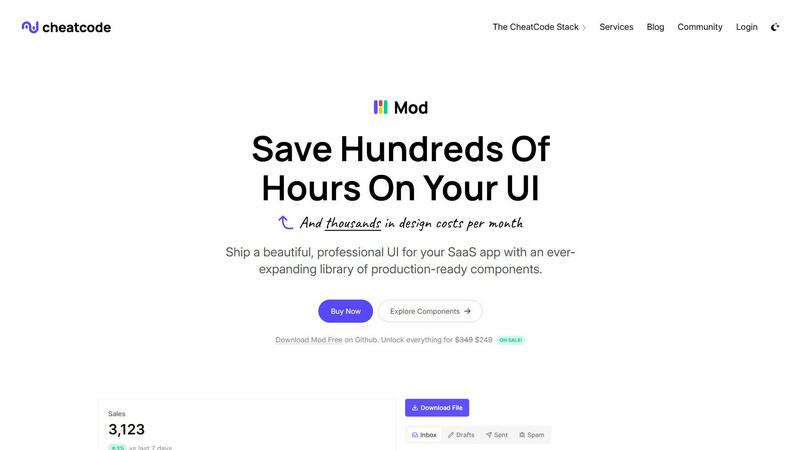
About Mod
Mod is your secret weapon for building beautiful, professional SaaS (Software as a Service) user interfaces without the headache of writing complex CSS from scratch. Think of it as a massive, ready-to-use toolbox for the visual part of your web application. It provides you with a comprehensive library of pre-designed components, styles, and icons that are all built to work together perfectly. Whether you're a solo developer trying to launch your first product or part of a team that needs to move fast, Mod helps you skip the tedious design and front-end styling work. Its core value is speed and polish: it lets you assemble a stunning, responsive, and modern UI in a fraction of the time it would normally take, so you can focus on the unique logic and features of your app. With its framework-agnostic approach, you can use Mod with all the popular tools like Next.js, Svelte, Vite, and even backends like Rails or Django, making it an incredibly flexible choice for any project.
Features of Mod
Extensive Component Library
Mod comes packed with over 88 professionally designed and coded UI components. This includes everything from basic buttons, forms, and navigation bars to more complex elements like data tables, modals, and dashboards. Each component is built with a consistent design language, ensuring your entire application looks cohesive. Instead of building these from zero, you can simply copy, paste, and customize them to fit your needs, saving you countless hours of development and design time.
Framework Agnostic & Easy Integration
One of Mod's biggest strengths is that it doesn't lock you into a specific technology. It works seamlessly with virtually any modern web framework or backend you choose, including Next.js, Nuxt, Svelte, Vite, Ruby on Rails, and Django. This means you can adopt Mod into your existing project without having to rewrite everything. The integration process is designed to be straightforward, allowing you to start using the components and styles immediately, regardless of your tech stack.
Complete Design System with Themes
Mod is more than just random components; it's a complete, ready-to-use design system. It includes 168 distinct styles, 2 full themes (light and dark), and built-in support for dark mode that users can toggle. The system is built with a mobile-first, responsive approach, so your application will look great and work perfectly on phones, tablets, and desktops right out of the box. This takes the guesswork out of responsive design.
Massive Icon Set & Customization
To add the perfect finishing touches to your UI, Mod includes a library of over 1,500 crisp, modern icons. This covers almost every icon need you might have for a SaaS product, from user actions and file types to status indicators and navigation. Having this vast collection integrated into the same system as your components ensures visual consistency and saves you from searching for and licensing icons from multiple separate sources.
Use Cases of Mod
Rapid Prototyping and MVP Development
When you have a brilliant app idea and need to build a working prototype or Minimum Viable Product (MVP) quickly to test the market, Mod is ideal. You can use its pre-built components to assemble a fully functional and professional-looking frontend in days, not weeks. This allows you to get real user feedback faster and validate your concept without getting bogged down in UI design details.
Solo Developers and Small Teams
For individual developers or small teams without a dedicated UI/UX designer, Mod acts as your design partner. It provides the design expertise and front-end code you need to build an app that looks like it was crafted by a professional agency. This dramatically reduces design costs and allows you to compete with larger companies by delivering a polished, high-quality user experience.
Consistent UI Across Large Applications
For larger teams or more complex SaaS products, maintaining a consistent look and feel across hundreds of pages and components can be a challenge. Mod's design system ensures that every button, form, and card follows the same rules. This creates a seamless experience for your users and makes the codebase easier for developers to understand and maintain, as they are all working from the same visual playbook.
Adding a Modern Refresh to Legacy Apps
If you have an older application that needs a visual update but a full rewrite isn't feasible, Mod can be a perfect solution. You can gradually replace old, clunky UI elements with Mod's modern, responsive components. Its framework-agnostic nature means you can integrate these new pieces into your existing tech stack, giving your app a fresh, contemporary look without starting from scratch.
Frequently Asked Questions
What frameworks is Mod compatible with?
Mod is designed to be framework-agnostic, meaning it works with a wide variety of tools. You can use it with frontend frameworks like Next.js, Nuxt, Svelte, and Vite. It also integrates well with full-stack or backend frameworks such as Ruby on Rails and Django. Essentially, if you can write HTML and CSS (or a language that compiles to them), you can use Mod.
Do I need to be a design expert to use Mod?
Not at all! Mod is built specifically for developers who want great design outcomes without being design experts. The components and styles are pre-designed by professionals to look good and work well together. Your job is to assemble them and customize details like colors or content. We provide step-by-step guidance to make the process intuitive and beginner-friendly.
How does the dark mode feature work?
Mod includes built-in support for dark mode as part of its design system. The components are styled with CSS variables that automatically adjust for light and dark themes. Implementing the toggle for users is straightforward, often involving just a few lines of code to switch a class or attribute on your HTML element, and Mod's styles handle the rest, changing all components across your app consistently.
What does "yearly updates" include?
When you purchase Mod, you get access to all updates released within one year. These updates can include new components, additional icon sets, improvements to existing styles, new theme variations, and compatibility updates for new framework versions. This ensures your toolkit stays modern and useful, helping you keep your applications up-to-date with the latest design trends and standards.
Similar to Mod

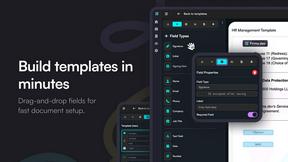
Firma.dev
Pay-as-you-go e-signature API and no-code sending. €0.049 per envelope, no monthly minimums, legally valid in 55+ countries.
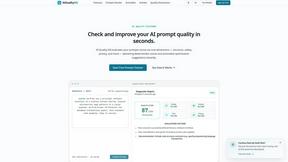
AIQualityHQ
AIQualityHQ helps you write better AI prompts instantly by checking for structure, safety, and privacy risks in your browser for free.