
AskFormulas
AskFormulas creates and verifies Excel and Sheets formulas from your plain English requests, saving you time and effort.
Visit
About AskFormulas
AskFormulas is an innovative AI-driven tool designed to simplify the process of creating accurate spreadsheet formulas. It addresses the common pain points experienced by users of Excel and Google Sheets, particularly the frustration of debugging broken formulas. Unlike other formula generators that often produce errors 40-60% of the time, AskFormulas stands out by ensuring every formula is validated before it reaches you. Users can easily describe their calculation needs in plain English, and our advanced AI takes care of the rest. The tool generates the required formula, tests it in a secure environment, and automatically corrects errors such as #REF! or #VALUE! before displaying a "Verified" badge. This makes AskFormulas an ideal solution for financial analysts, revenue managers, small business owners, and anyone seeking to streamline their spreadsheet tasks without diving deep into complex syntax. With AskFormulas, you can trust that your formulas will work from the moment you paste them into your spreadsheet.
Features of AskFormulas
Natural Language Input
AskFormulas allows users to input their formula requests in simple, everyday language. This means you do not need to know any complex syntax or formula rules. Just type what you want, like "Sum all values in column B where column A contains the word Sales," and the AI will understand and convert it into the correct formula syntax.
Comprehensive Validation Process
Every formula generated by AskFormulas undergoes a rigorous three-step validation process. First, it interprets your natural language request into formula syntax. Next, the formula is tested with synthetic data in a secure sandbox environment. Finally, the AI performs auto-corrections until the formula is marked as "Verified," ensuring high accuracy and reliability.
Seamless Excel and Google Sheets Integration
AskFormulas works effortlessly with both Excel and Google Sheets. Users can easily switch between platforms with a single click, and the system automatically adjusts the formula syntax to match the selected platform. This means you can focus on your calculations without worrying about syntax differences.
One-Click Copy and Formula History
With AskFormulas, copying your validated formula is quick and easy. Simply click the copy button, and you can paste your formula directly into your spreadsheet. Additionally, the tool keeps a history of your last ten generated formulas, allowing you to revisit and reuse them whenever needed, creating your own personal formula library.
Use Cases of AskFormulas
Financial Analysis
Financial analysts often deal with complex calculations that require precise formulas. AskFormulas simplifies this process by generating validated formulas for tasks like calculating profit margins, forecasting revenue, or analyzing expenses, saving analysts valuable time and reducing errors.
Report Automation
Revenue managers can use AskFormulas to automate report generation. By inputting natural language requests for various metrics, such as "Calculate total revenue from Sales column," users can quickly obtain the necessary formulas to streamline their reporting processes.
Small Business Management
Small business owners who may not have extensive Excel knowledge can benefit greatly from AskFormulas. By simply describing their calculation needs, they can generate accurate formulas for budgeting, sales tracking, and inventory management without needing to learn complex formulas.
Educational Purposes
Students and educators can utilize AskFormulas to improve their understanding of spreadsheet formulas. By generating formulas based on plain language descriptions, learners can see practical examples of how different functions work, enhancing their learning experience.
Frequently Asked Questions
How accurate are the generated formulas?
AskFormulas guarantees high accuracy by validating every formula before it is shown to the user. The three-step validation process ensures that errors are corrected automatically, providing users with only reliable formulas.
Does it work with both Excel and Google Sheets?
Yes, AskFormulas seamlessly integrates with both Excel and Google Sheets. Users can switch between the two platforms easily, and the tool automatically adapts the formula syntax to fit the selected application.
How many formulas can I generate?
The number of formulas you can generate depends on your chosen plan. The Starter plan allows for 500 formulas per month, while the Pro plan allows for 2,000 formulas, and the Team plan offers 6,000 formulas for multiple users.
Can I access my previously generated formulas?
Absolutely! AskFormulas keeps a history of your last ten generated formulas, allowing you to access and reuse them whenever you need. This feature ensures that you never lose important formulas and can easily refer back to them.
Explore more in this category:
Similar to AskFormulas
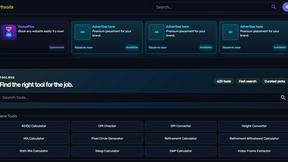
Kody Tools
Free collection of online developer utilities, code formatters, and digital converters designed to streamline your daily workflow.

Forms Plugin
The #1 Native Form Builder Plugin for Framer - No Code, No Embeds, No External Platforms.
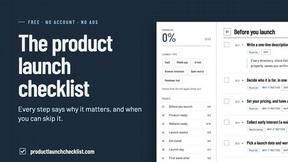
Product Launch Checklist
A free launch checklist for SaaS, apps, AI tools and more. Every step says why it matters and when you can skip it.

HomeAnswerBook
Practical, independent guides to home repairs, maintenance, costs, troubleshooting, and everyday fixes.
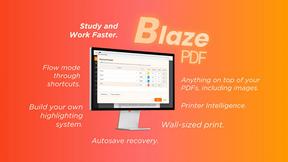
BlazePDF
Highlight faster. Study in flow with custom shortcuts and a workflow built around you. Print smarter, or turn any page into a tiled poster.

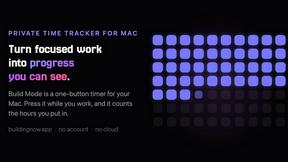
Build Mode for Mac
Build Mode is a Mac app that turns focused sessions into visible progress, so you can see the work adding up before the results arrive.
